Java and Bedrock on one server
Crossplay between the Java Edition (PC) and the Bedrock Edition (mobile, console, Windows app) is the strongest advantage of a well-configured Minecraft server. At game-serverhosting.de, Geyser and Floodgate are already pre-installed on every Minecraft server – there is nothing to set up.
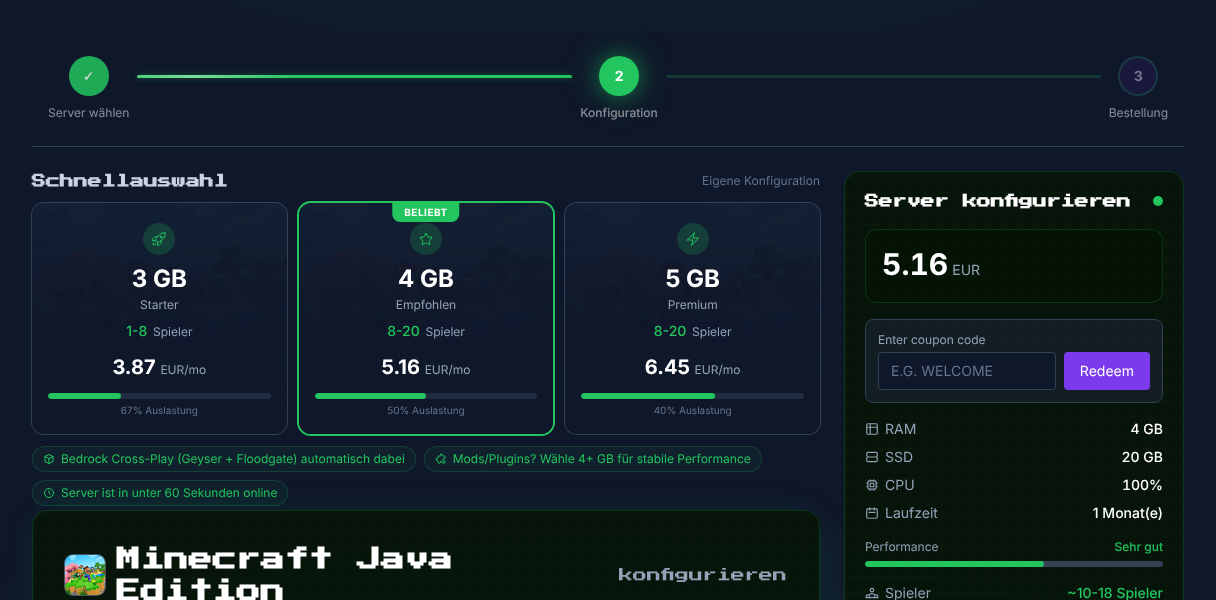
Step 1: Order Minecraft with crossplay
You select Minecraft as your game right at checkout. Geyser and Floodgate are configured automatically during provisioning – at no extra cost and with no manual plugin installation.
What do Geyser and Floodgate do?
- Geyser translates the Bedrock protocol to Java – Bedrock players can play on your Java server.
- Floodgate lets Bedrock players join without a Java account.
Step 2: Find the Bedrock port
Java players connect through port 25565, Bedrock players through port 19132 (UDP). You'll find both ports in your server's connection details card.
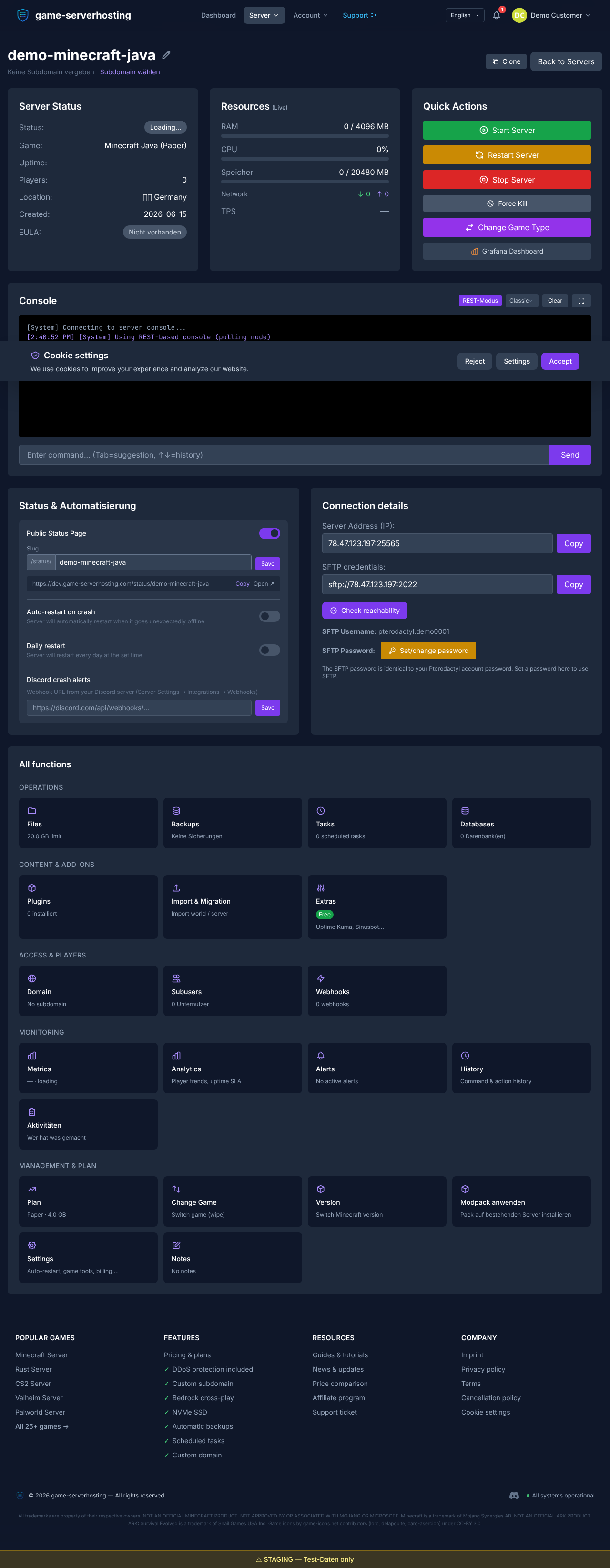
Give Bedrock players the server address together with the Bedrock port 19132.
Step 3: Connect as a Bedrock player
In the Bedrock Edition go to Servers → Add Server and enter the server address plus port 19132. Your server then shows up in the list and is joinable – together with the Java players.
Check Geyser & Floodgate status
You can see whether Geyser and Floodgate are running in your server's plugin/status view. Both are listed as pre-installed at game-serverhosting.de and load automatically on first start. If a Bedrock player can't connect, first check whether the server has fully started.
Summary
Crossplay works out of the box at game-serverhosting.de: Geyser and Floodgate are pre-installed, the Bedrock port 19132 is shown in the connection details, and Bedrock players join without a Java account. Next, you can use plugins to unlock additional features for both editions.
Prefer running a pure Bedrock server instead of a Java server with crossplay? Then the comparison PocketMine or BDS? Minecraft Bedrock Server Software Compared is worth a read – we offer both variants.