What is SCP: Secret Laboratory?
SCP: Secret Laboratory is a free-to-play multiplayer horror shooter by Northwood Studios set in the SCP universe. Players take on the roles of SCPs (anomalous entities), Foundation personnel or Chaos Insurgents. Each faction has a different objective: SCPs kill everyone, Foundation personnel secure the facility, Chaos tries to liberate D-Class personnel.
For hosting your own server, Northwood provides an official Dedicated Server package. At game-serverhosting.de this runs fully pre-configured in our panel — no own hardware, no Linux knowledge required.
Ordering a server
To start your own SCP-SL server, select the game in the order wizard. Servers are available in various slot sizes (typical: 10–20 slots for private rounds, up to 40 for public servers with an active moderation team).
Rent an SCP Secret Laboratory server
After ordering, your server is installed automatically. You'll see it switch to "ready" in the dashboard — this usually takes 2–5 minutes.
Ports and connection
An SCP-SL server uses UDP port 7777 by default. Your actual port may differ depending on availability — find the exact port in the panel under connection details.
Players connect in-game via:
- Direct connect:
Select server → Direct connect → IP:Port - Public server list: Only if you mark the server as public and register it on Northwood's server list
Configuration
You don't have to edit any files by hand: in the server panel under Settings there's a guided configuration editor. Server name, max players, tickrate, reserved slots, admin permissions and more are available there as a form — each with a short explanation. We write your changes safely back into the config file, including an automatic backup.
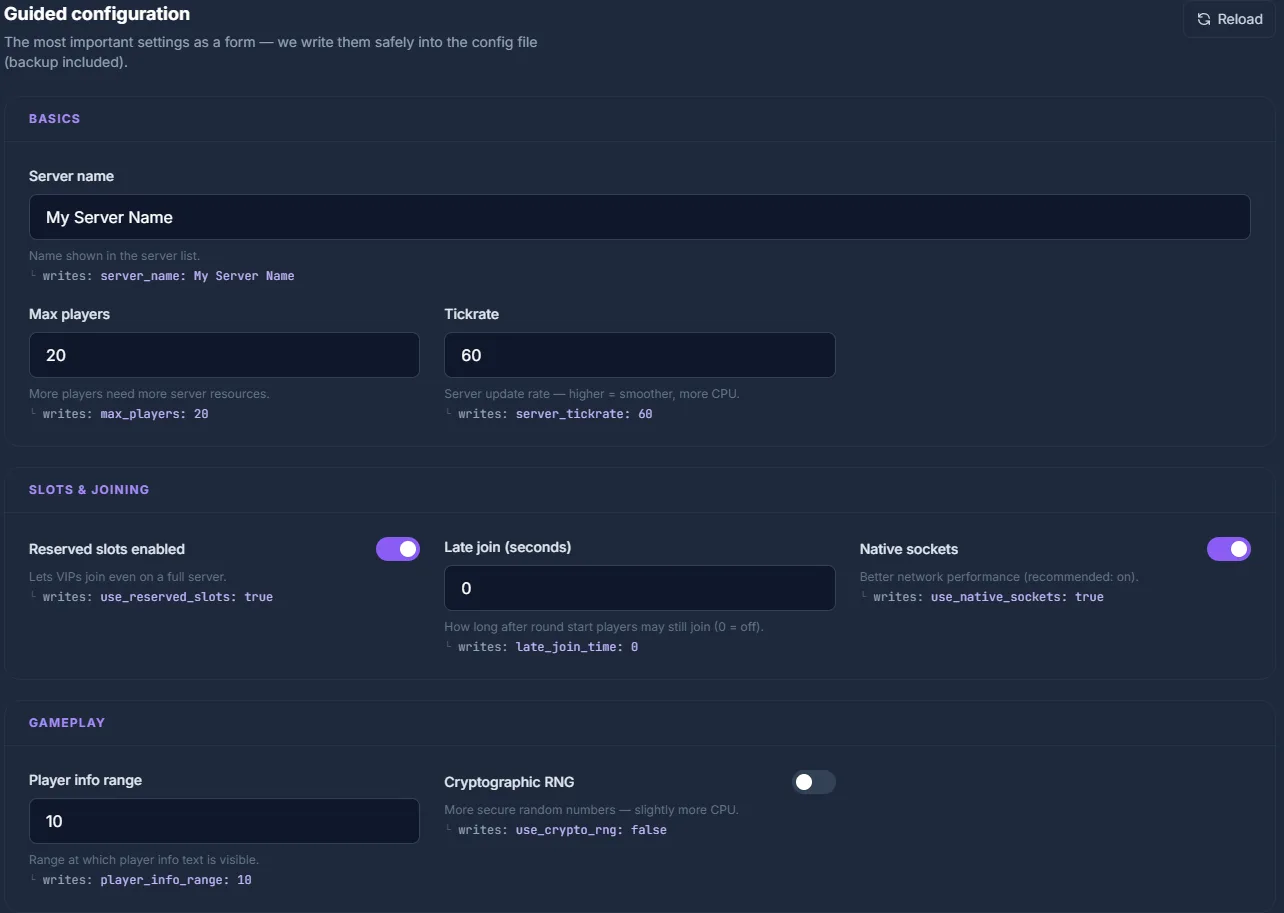
Prefer the file directly? The gameplay settings live in config_gameplay.txt, the admins in config_remoteadmin.txt. You can also edit them manually via the File Manager in the app directory — changes take effect after the next server restart.
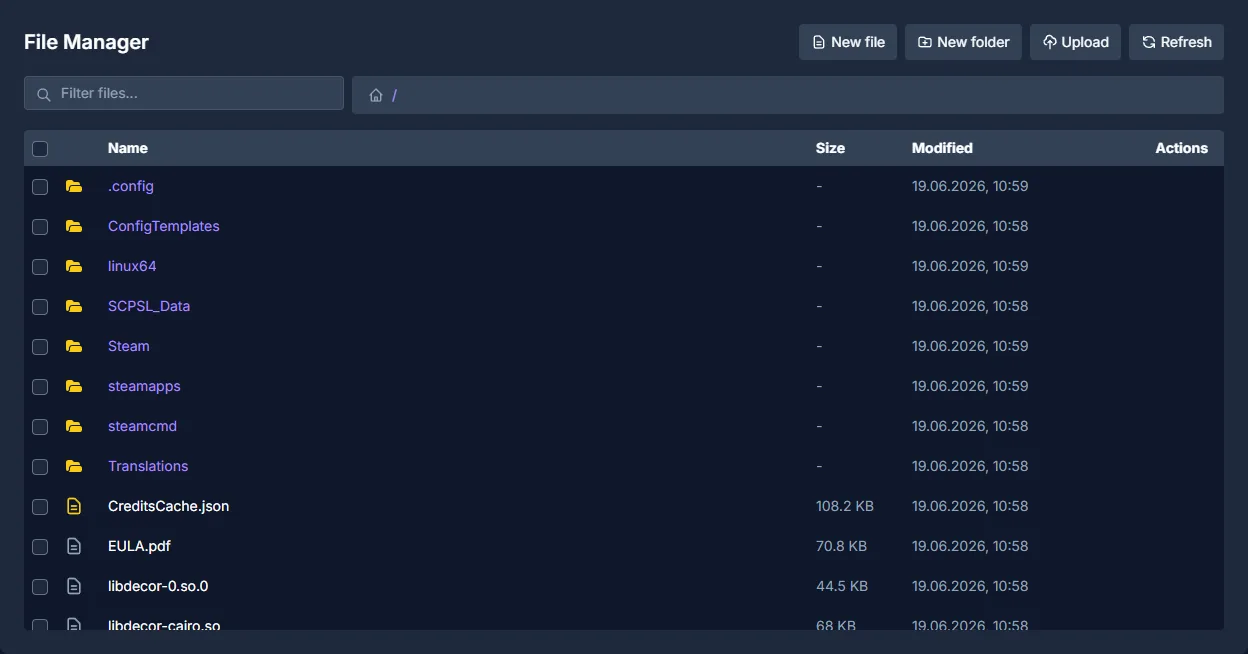
Configuring Remote Admin
Remote Admin is SCP-SL's built-in admin tool. Admins can observe live rounds, ban, kick, teleport players and set game variables — all without console access.
Setting admin permissions
The easiest way to grant admin rights is the guided editor (Panel → Settings → Administration section, see the screenshot below): click Add admin, enter the SteamID64 (or Discord ID) and pick a role — owner, admin or moderator. We write it safely back into config_remoteadmin.txt, including an automatic backup. No manual file editing required.
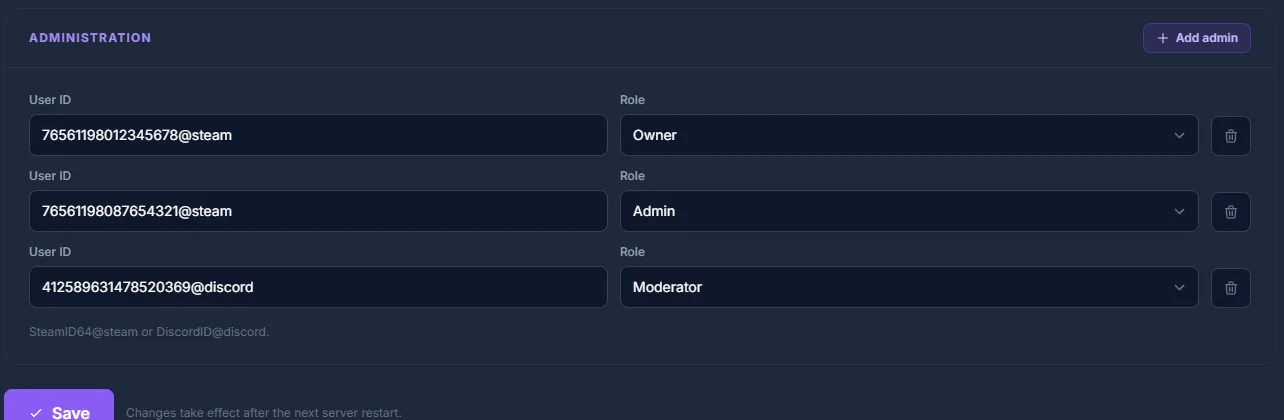
If you prefer to do it by hand: admin rights live in the Members: list of config_remoteadmin.txt, each as UserID@steam: role:
Members:
 - 76561198012345678@steam: owner
 - 76561198087654321@steam: admin
 - 412589631478520369@discord: moderator
Each line is UserID@platform: role. The platform is @steam (SteamID64) or @discord (Discord user ID). Find your SteamID64 at https://steamid.io/ — just paste your Steam profile URL.
Permission flags
| Flag | Description |
|---|---|
Administrator |
Full access to all admin commands |
Moderator |
Kick, temporary ban, mute |
GameMaster |
Change game variables, teleport |
Plugins with EXILED
EXILED (EXtended In-place Loading of External Dlls) is the official plugin framework for SCP-SL. It allows server plugins similar to how Paper plugins work for Minecraft.
Installing EXILED
- Download the latest EXILED release from GitHub: https://github.com/ExMod-Team/EXILED/releases
- Extract
EXILED.tar.gzand upload the DLL files via File Manager into theEXILED/Pluginsfolder - Restart the server — EXILED creates its folder structure automatically
Popular plugins
| Plugin | Function |
|---|---|
AdminTools |
Extended admin commands, warn system |
AutoFF |
Automatic friendly fire management |
SCPStats |
Statistics + leaderboard integration |
BetterSCP |
Improved SCP abilities and balance |
Plugins are placed as .dll files in EXILED/Plugins/. They are loaded automatically after a restart.
Common issues
Server does not appear in the list
The server must be explicitly marked as public and registered with Northwood Studios. Check list_nick and server_nick in the configuration.
Players can't connect Make sure the correct UDP port (from the panel connection details) is open. At game-serverhosting.de this is configured automatically.
EXILED plugin won't start Check dependencies: some plugins require a specific EXILED version. Versions must be compatible.
Conclusion
Your own SCP-SL server gives you full control over game mode, player count, admin permissions and plugins. At game-serverhosting.de the technical side runs automatically — you only configure the gameplay parameters and manage your moderation team.
Rent an SCP Secret Laboratory server →
FAQ
How many players can an SCP-SL server support?
The default limit is 20 players. You can raise max_players in config_gameplay.txt to 40+ — but keep in mind that more players require more server resources (RAM, CPU).
Do I need to register with Northwood Studios?
Only for public servers that should appear in the server list. Private servers (direct connect) need no registration.
What is the difference between EXILED and vanilla SCP-SL?
EXILED is a plugin framework that hooks into the server process. It changes the gameplay experience through plugins you choose — from base SCP-SL to heavily modified RP servers.
Can admins influence the round while it is running?
Yes — through Remote Admin (press M in-game), admins can trigger round events, spawn SCPs, teleport players into rooms or force the round to end.